 AI CREATOR LAB
the official Fanvue AI creator program*
AI CREATOR LAB
the official Fanvue AI creator program*
By the end of this lesson you will have:
Your 30-day target counts what you build, because building is the part you control. It is deliberately not a money number. Month one's money is small for everyone, because month one is when the machine gets built. Students who set a money target for month one decide on day 30 that they failed, and day 30 is exactly when most people quit. Students who set a build target hit it, and the money follows the system.
The course is linear and pre-decided on purpose. The decisions are already made: one niche method, one way to build her, one first traffic channel. Each phase unlocks when you finish the one before, and you never skip. Comparing options and researching alternatives is the single biggest time sink in month one, so the course removes it. Your only job is the next lesson.
Your target gets posted publicly because coaches read every #introductions post and use your target on every check-in from then on. A target posted where other people can see it is a target someone holds you to.
This course runs on one operating belief: daily posting volume is what wins in this industry. Every system in the course exists to make daily volume cheap for you to produce. That makes this a real daily business, and the time plan below tells you exactly what it asks of you, phase by phase.
The rest of Phase 0 is setup that this map plugs into: lesson 0-2 (Your Stack, Costs & Credits) teaches every tool and every cost, lesson 0-3 (Accounts & Safety Checklist) armors your accounts before any exist, and lesson 0-4 (Create Your Fanvue Account) creates the account that gets paid.
You bought one of two packages. Creator ($1,000) is the standard package. Operator ($5,000) is everything Creator gets plus 1:1 coaching and a private line to a named coach. Your receipt says which one you have, and when any lesson says "Operator members," it means the $5,000 tier.
Both packages include:
Operator members also get the 1:1 coaching and the private coach line. Your coach books a kickoff call with you inside your first 72 hours.
Not included, disclosed now so nothing surprises you later:
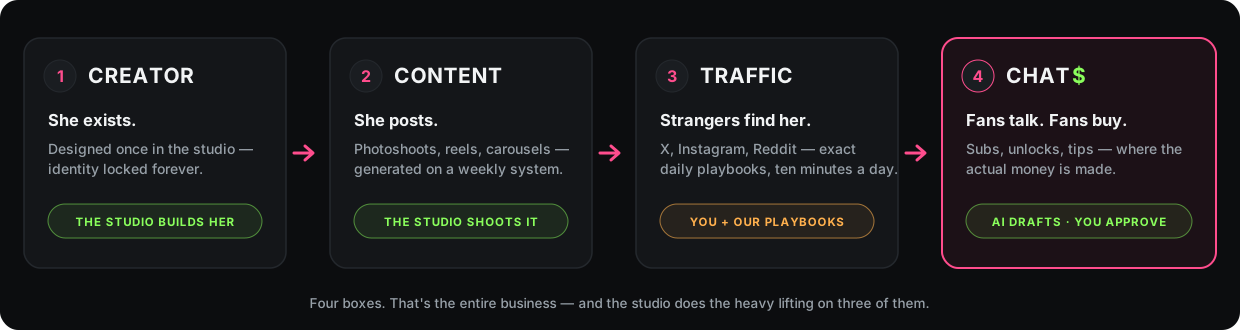
This business is four parts. Every phase of the course builds one of them, in this order:
The tools, one line each: Bopgpt is the AI software your purchase includes, and the creator, the content, and the chat all run in it. Fanvue is the 18+ subscription platform where she earns. Rogue is where she makes her highest-quality photos and video, taught in the Rogue Studio section. Discord is the community, and you join it today. lesson 0-2 (Your Stack, Costs & Credits) covers each tool properly, with every cost.
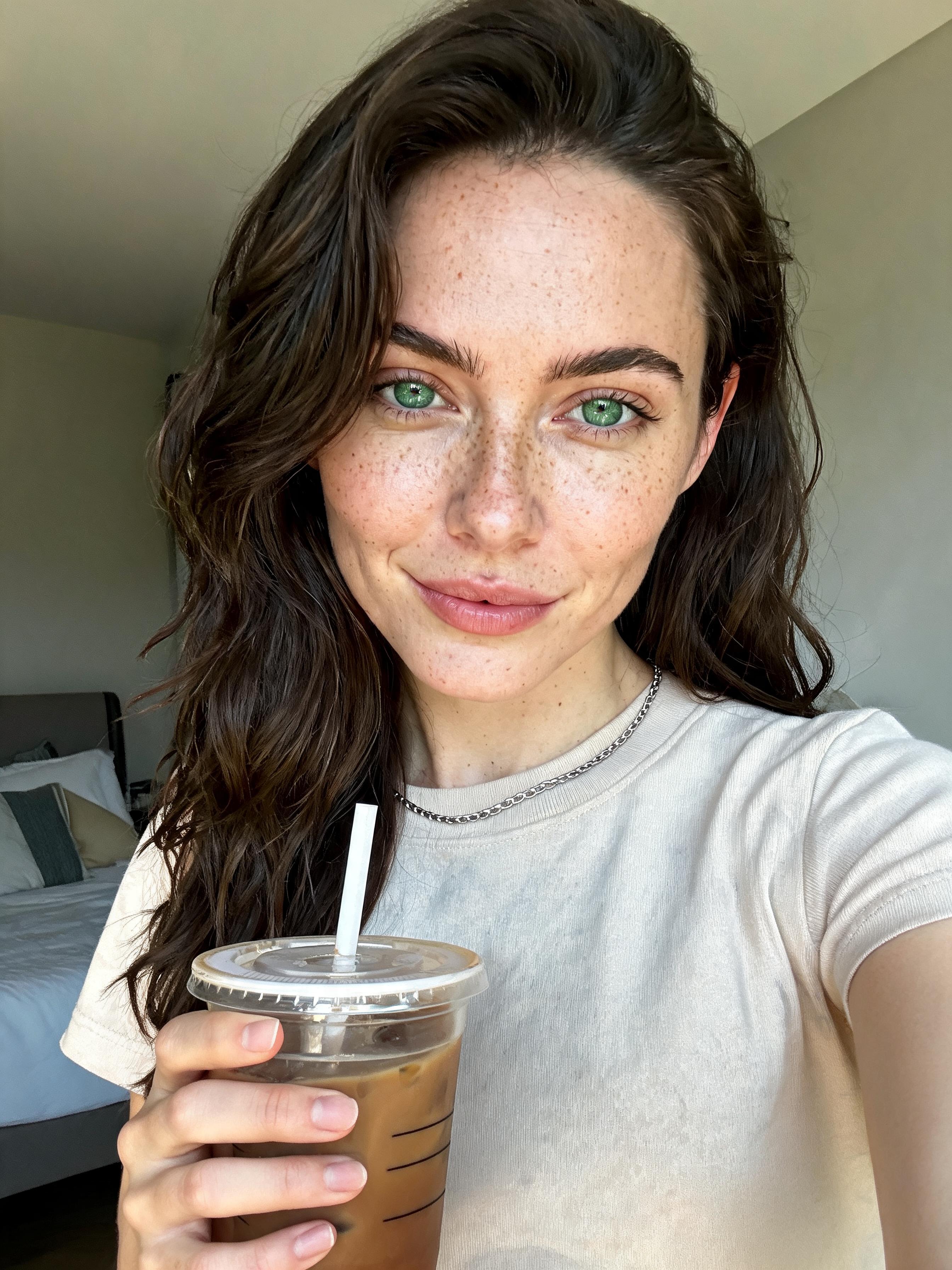
Lena is the creator we build on camera through the entire course, from nothing, with the same lessons you are doing. When a lesson shows a click, it is a real click on her real build. You build yours right alongside her.
| Phase | What you build | Which part | Rough time |
|---|---|---|---|
| Phase 0: Start Here (you are here) | Accounts, safety, the map | The foundation | Tonight, about an hour |
| Phase 1: Build Your Creator | Her face, name, and persona in Bopgpt | The creator | Evening two |
| Phase 2: First Publish | Her Fanvue page, her first post, her first social account | The content | Evening three |
| Phase 3: The Content Engine | The daily production and scheduling system | The content | Weeks 1 to 2 |
| Rogue Studio | Her highest-quality photos and video, made in Rogue | The content | Right after Phase 3 |
| Phase 4: Instagram, Organic Only | Her first traffic channel, warmed up and ramped to full volume | The traffic | Weeks 2 to 4. Instagram's warm-up waits on the calendar, not on you |
| Phase 5: First Dollar | Pricing, the content ladder, chatting, her first drop, getting paid | The chat | Weeks 4 to 8. The first-dollar target is around day 60 |
| Phase 6: Autopilot & the Operating Week | DM autopilot, the AI calendar, your weekly operating routine | The chat | After the first dollar |
| Section A + the Vault | Advanced AI workflows, extra channels, extra plays | The bonus wing | Opens at the end |
Four facts to read off that table:
In 30 days, my creator is live on Fanvue, posting every day, with her first
   traffic channel live and ramping toward full volume.
You post both lines in step 3. If the why will not come, the AI prompt under this lesson's steps writes it with you.
On iPhone only: #creator-reveal, #content, and #wins stay hidden until you allow age-restricted content in Discord's settings. Open Settings, then Content & Social, then allow age-restricted content. One switch, once.
Post your target in #introductions. On Discord:
When it posts, you are officially building. That post is this lesson's artifact, and coaches use it on your check-ins.
Block two evenings this week for Phases 1 and 2. They are the heaviest part of setup.
Tell your partner about the business this week (optional, recommended). This step is optional. We recommend it if you share your life with someone, because a partner who hears about the business from you now beats one who discovers it at 11pm in week three. If you would rather keep the business private, that is allowed and common; the "What do I tell people I do?" entry under If you're stuck has the short public version. What works:
I'm building an AI content brand: a fictional creator whose photos, posts,
   and fan chats I run like a business. Fans subscribe and buy content on
   Fanvue, an 18+ platform. Later in the course her paid content gets spicier;
   that's where the money is, and how far it goes is a limit we can decide
   together.
First time using an AI assistant? Open any free AI chat app (ChatGPT, Claude, and Gemini all work on free accounts), paste the prompt, fill in the [brackets], and send. You will use this skill throughout the course.
When your one line of why will not come:
Before the partner conversation:
About 20 minutes, plus the optional conversation this week.
Your target is posted in #introductions. Click Mark lesson complete below; that is how the course tracks your progress and opens the next lesson.
The invite is in step 2: discord.gg/T2NzXc95jf. Accept the invite, log in or make a free account, and click through Discord's welcome screens. The channel list is on the left, and on the phone app you swipe right to reveal it; #introductions sits near the top. If the link says invalid or expired, reply to the welcome email that came with your purchase and a human sends you a fresh one.
Those channels hold her content, so Discord age-restricts them, and iPhones hide age-restricted channels by default. Allow age-restricted content in Discord's settings (Settings, then Content & Social), reopen the server, and all three appear. On desktop or in a browser you instead confirm you are 18+ once per channel.
Plenty of students work shifts. Replays: coming soon. The call is never the only door: coaches read every #introductions and #wins post whether you attend or not, and any question you would have asked live gets answered in #course-help.
Fanvue is built for AI creators: AI accounts are allowed and openly declared, and Bopgpt publishes straight onto her Fanvue page with no downloading and re-uploading. It is also the course's partner platform, which is why #fanvue-help reaches a named human. Every mechanic, price, and screen in this course is built for Fanvue. You create the account in lesson 0-4 (Create Your Fanvue Account).
That means the conversation worked, and this is the part to be clear on. Nothing before Phase 5 asks you to go past what you have agreed. Anything explicit only ever lives behind her Fanvue paywall, never on her social accounts, on any platform. Explicit content posted on a social platform gets that account banned. Her first weeks of content are clean, and even the first set in the optional Premium Studio is suggestive, not explicit. The limit gets written down in Phase 5 as one line you decide together, and from then on the course treats it as a hard rule, including for the AI that drafts her messages.
No. Later lessons assume the earlier pieces exist: her saved model in Bopgpt, her connected Fanvue account, the safety setup from lesson 0-3 (Accounts & Safety Checklist). If you are experienced, you will clear the early phases in minutes anyway.
Yes, and it genuinely helps; this goes faster as a two-person team. Bring them.
"I run a digital content brand: AI-generated creator, social media, subscriptions." All of it true, none of it oversharing. What you tell whom is entirely your business, and plenty of successful students never elaborate past that sentence.
lesson 0-2 (Your Stack, Costs & Credits) covers every tool in your stack, what this business costs per month, and how credits work. Read it before you create a single account.