the official Fanvue AI creator program* πŸ““ Workbook
πŸ”’ Heads up β€” finish the previous lesson first. The course works in order.

Phase R · The Premium Studio · ⏱ 20 min

Her Rogue Character

β–Ά {{VIDEO: lesson r-2 β€” Owen & Cole}}Video drops in here. Everything below stands on its own.

When you're done

Her character model exists inside Rogue β€” built from the same reference photo Bopgpt already holds β€” and the studio can now generate her, edit her, and film her with locked facial fidelity. Cost of this lesson: zero credits (Path A) β€” character training is free and unlimited.

Why this matters

Everything premium hangs on one thing: it has to be the same girl. The face her fans follow on Fanvue, the face in her feed photos, and the face in a premium video have to match β€” or the illusion, and the subscription, dies. Rogue's character models are how you lock that: build her once from a reference photo, and every image, edit, and video model that comes out of it holds her face.

The order matters here. You're building her from her Bopgpt reference photo β€” not fresh inside Rogue. Bopgpt is her identity's home; Rogue is a studio she works in. When the Rogue engine lands inside Bopgpt, a character anchored to her Bopgpt references transitions cleanly. One built from scratch in Rogue would be a second, divergent girl.

The steps

  1. Get her reference photo out of Bopgpt. In Bopgpt: her model page β†’ her reference/profile set β†’ download the cleanest front-facing photo (good light, face unobstructed, no heavy angle). One photo is all Rogue needs for facial fidelity.

  2. Open the Character Creator. In your Rogue project: Character Models tab in the right-hand drawer β†’ New Character. You'll land on the face step.
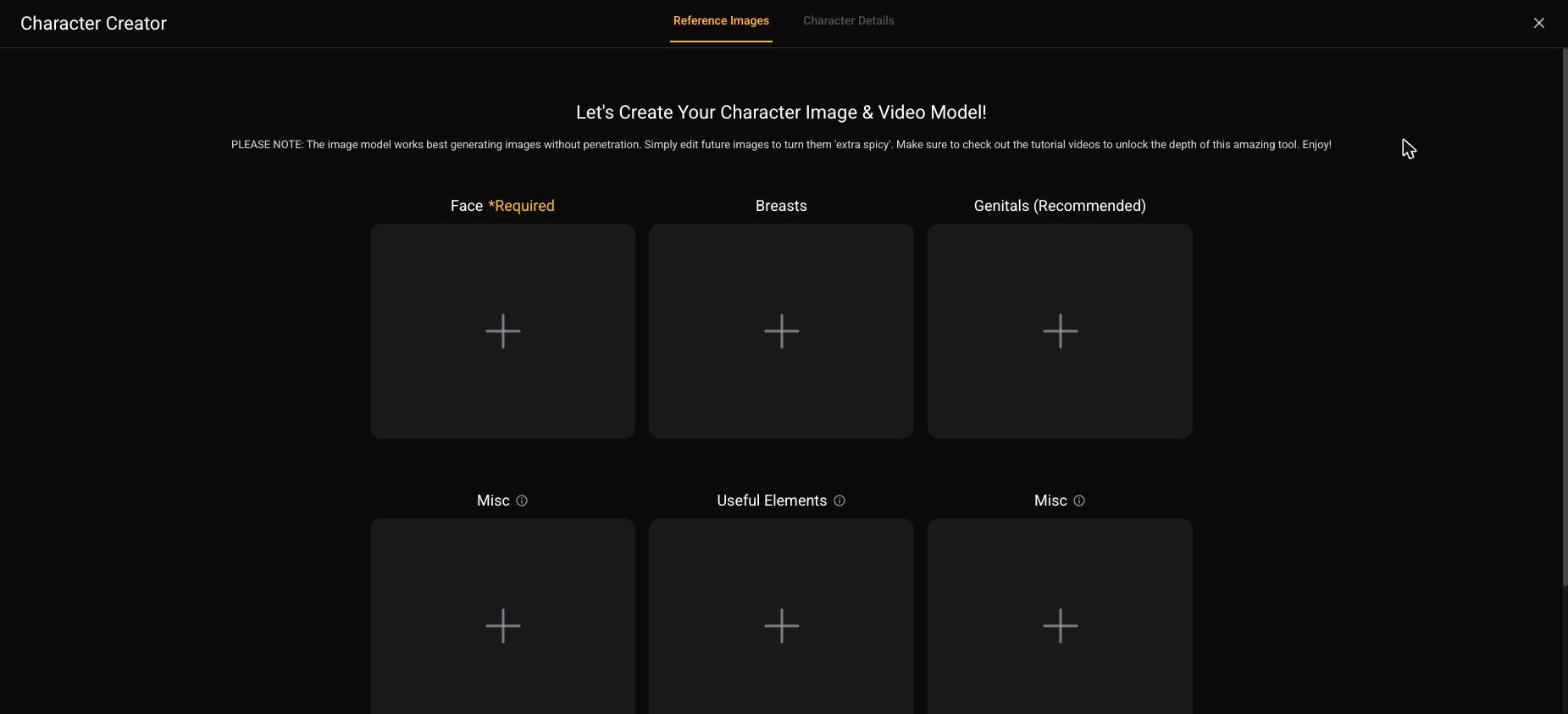
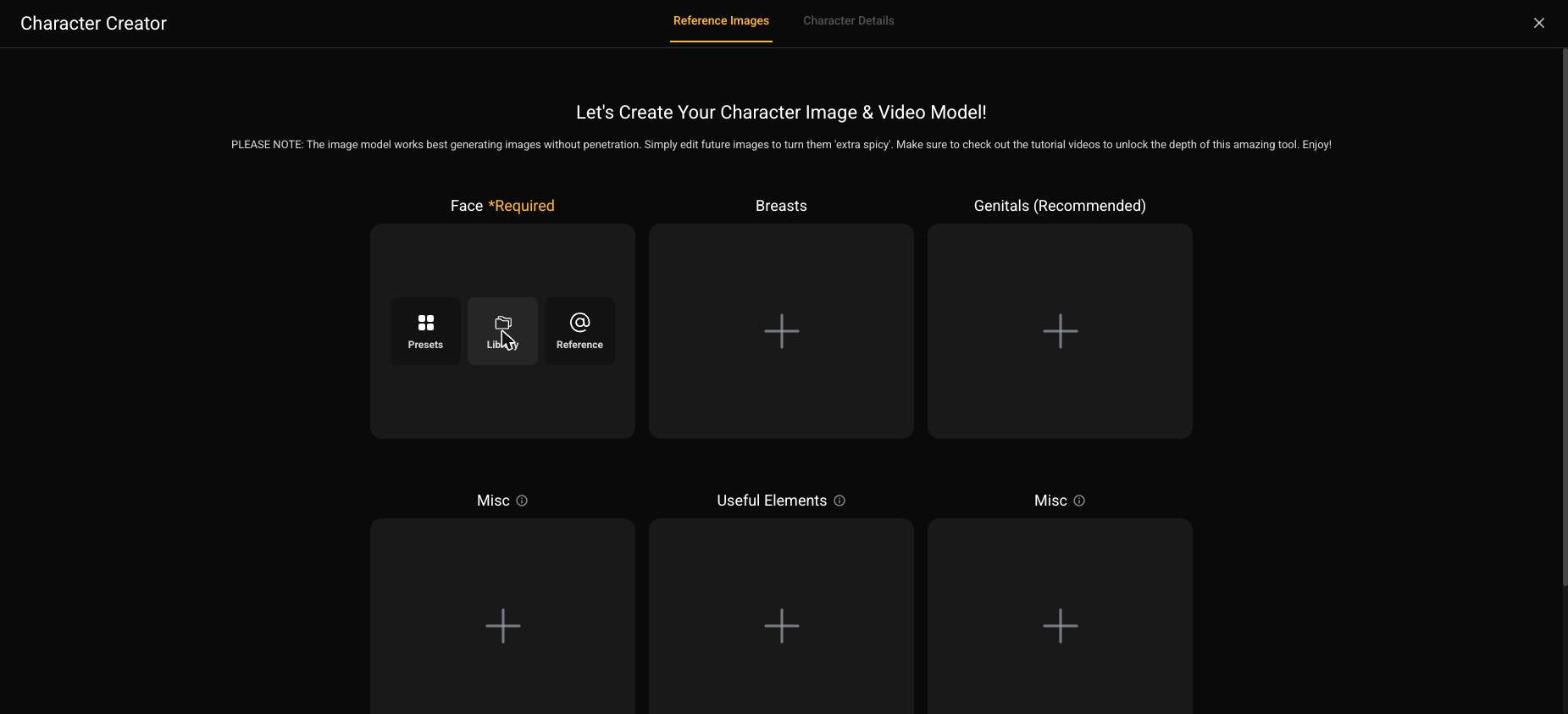
The Character Creator. First job: give her a face.
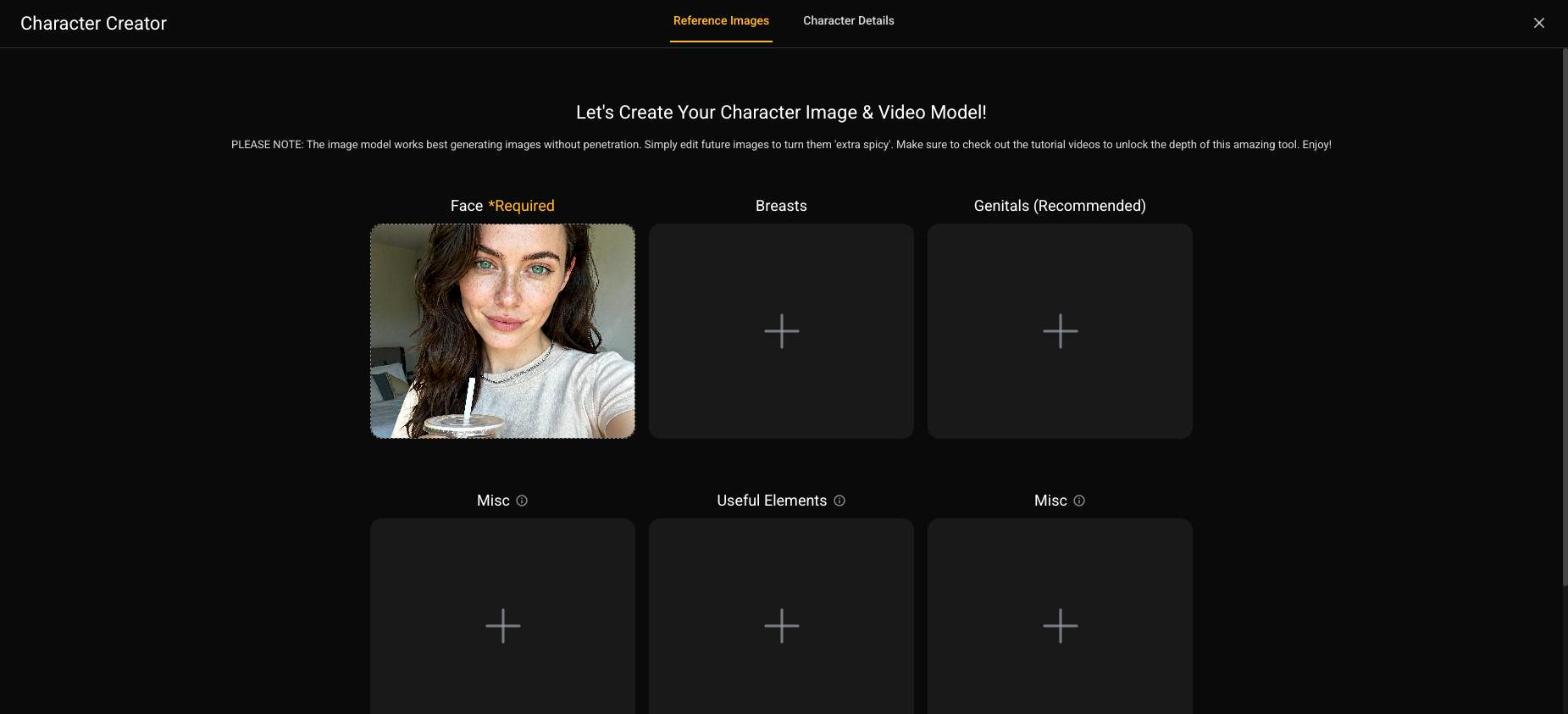
  1. Load her face from your upload. The face slot takes three sources β€” preset faces, your library, or an upload. Choose upload, feed it her Bopgpt reference photo, and confirm the consent checkbox (you're attesting the image is yours to use β€” it is; you generated her).
Three ways to source a face. Yours comes from the Bopgpt reference β€” the upload path.
Lena's Bopgpt reference, locked into the face slot.
  1. Pick her anatomy. Breasts and genitals come from preset menus β€” scroll, pick what fits the persona sheet from Lesson 1-1, keep it believable for her body type. These presets hold across every future image and video, so decide once, deliberately.
Anatomy presets. Chosen once, consistent forever.
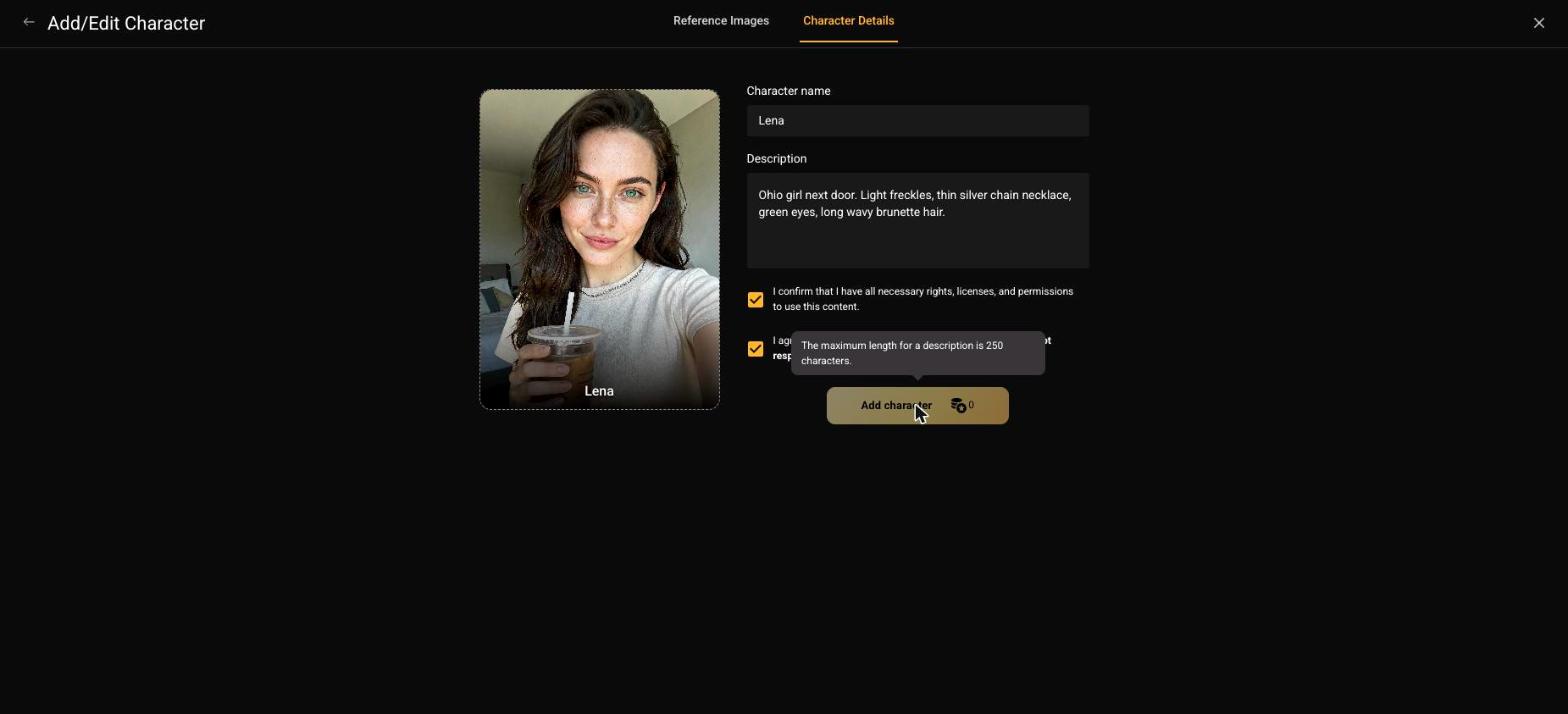
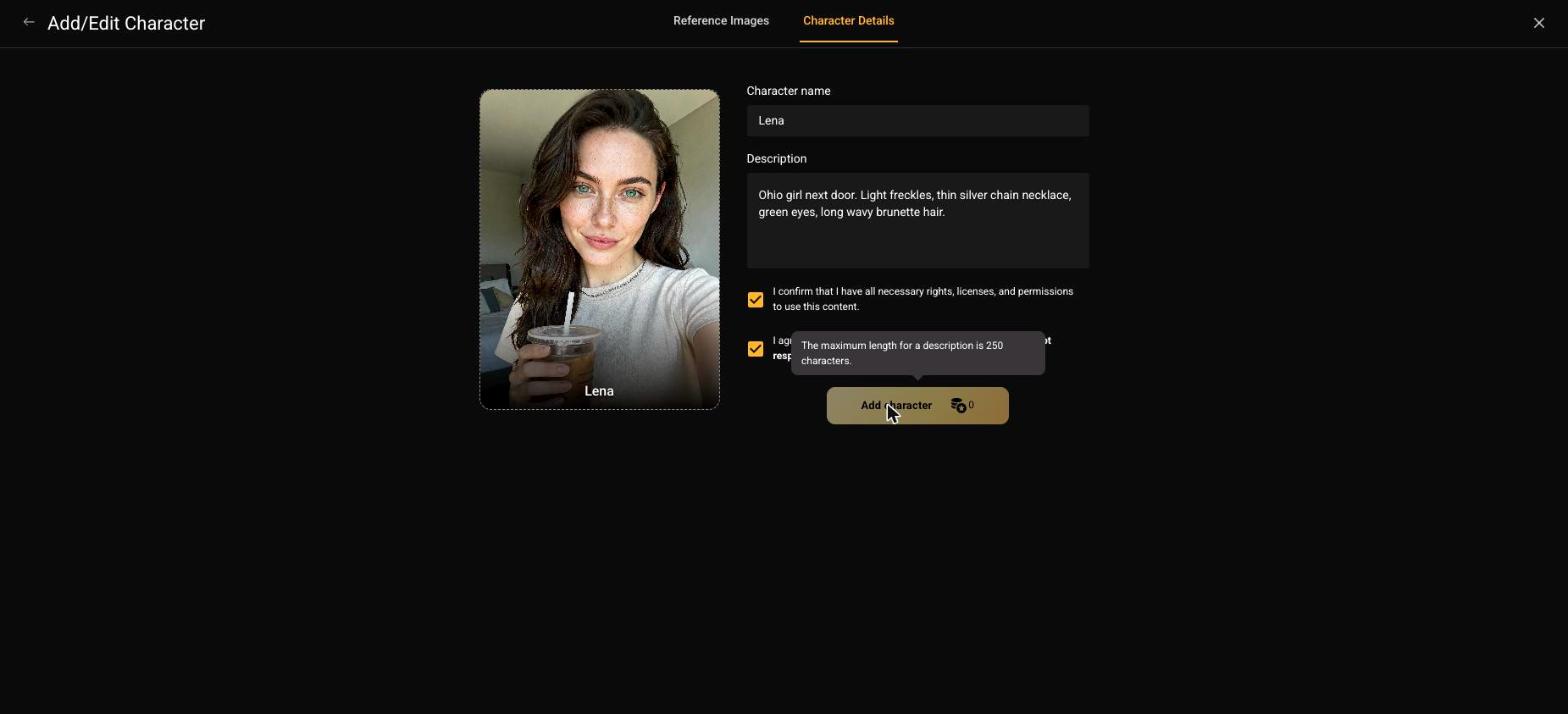
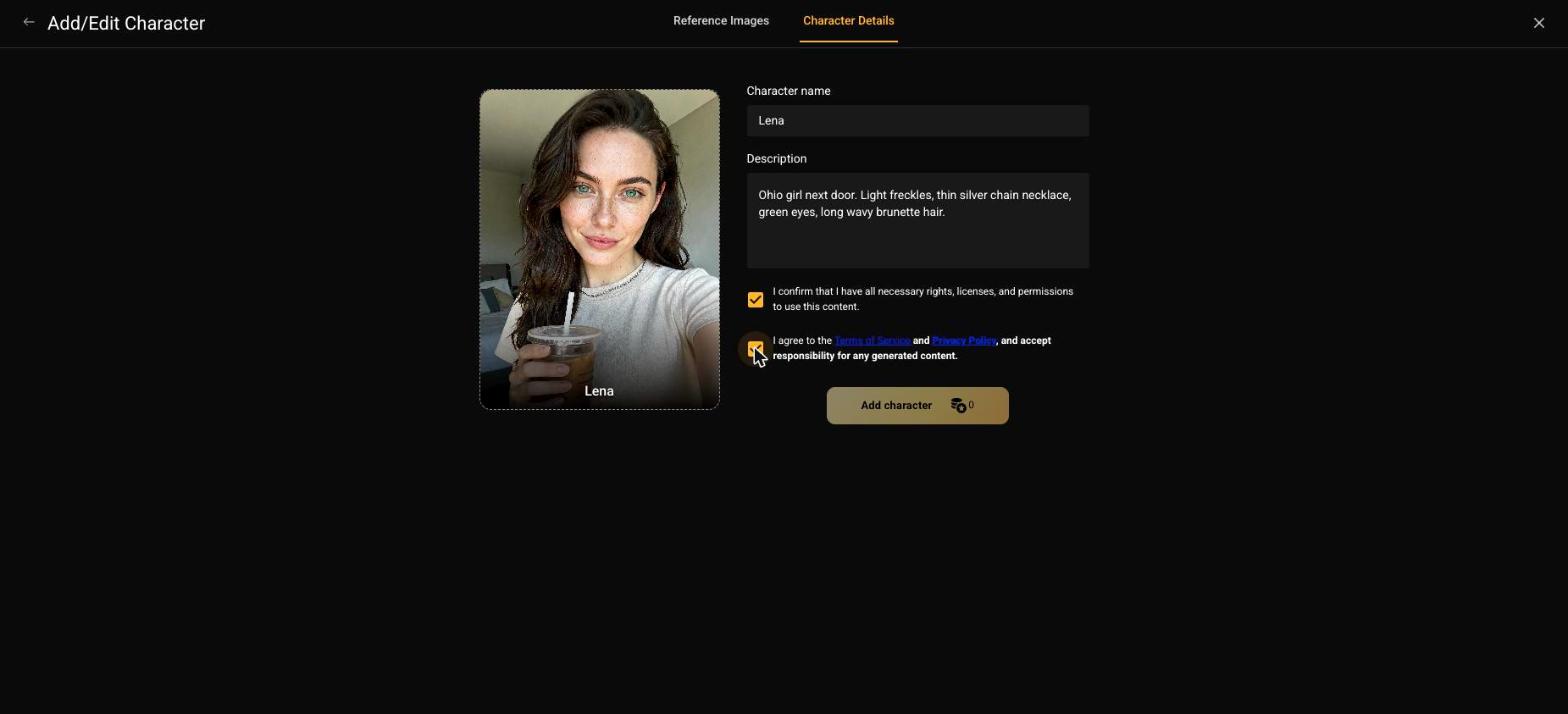
  1. Name her and write the short description β€” and mind the gotcha. Use her real stage name. The description field caps at 250 characters, and here's the trap: if you paste something longer, the Add character button silently stays disabled β€” no error, it just won't light up. Keep it to one line ("Ohio girl next door."). Also: no celebrity names in the description β€” instant moderation block.
The gotcha, on camera: description too long, Add character greyed out with no explanation.
Trimmed to one line β€” button lights up.
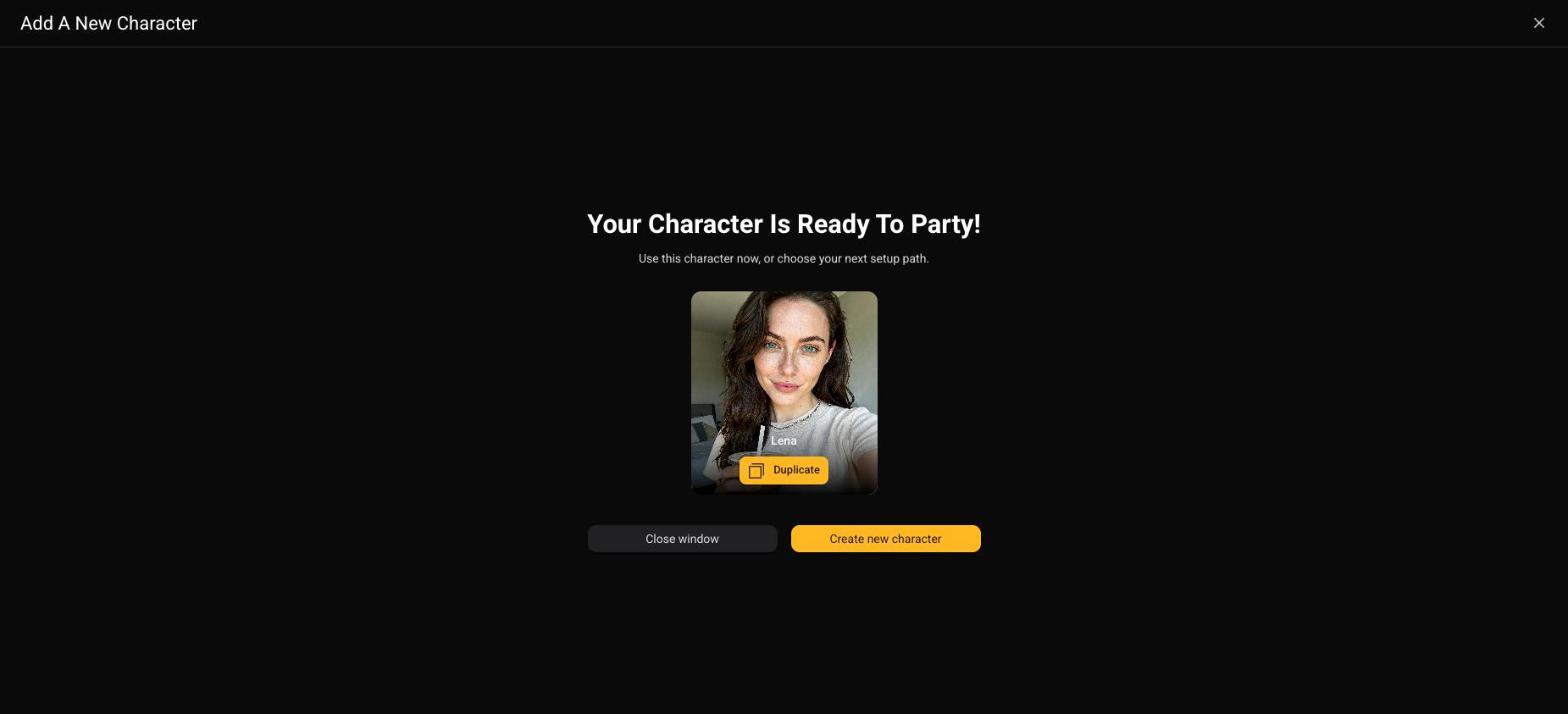
  1. Add her, then click "Next: Character Details" β€” not the tab shortcut. Walk the flow's own buttons; jumping via the tabs at the top skips validation and the build won't register. Then she's in My Characters, marked ready. That one build created three linked models: her image model, her edit model, and her video model.
Lena, live in the studio. Image, edit, and video models β€” one build, zero credits.
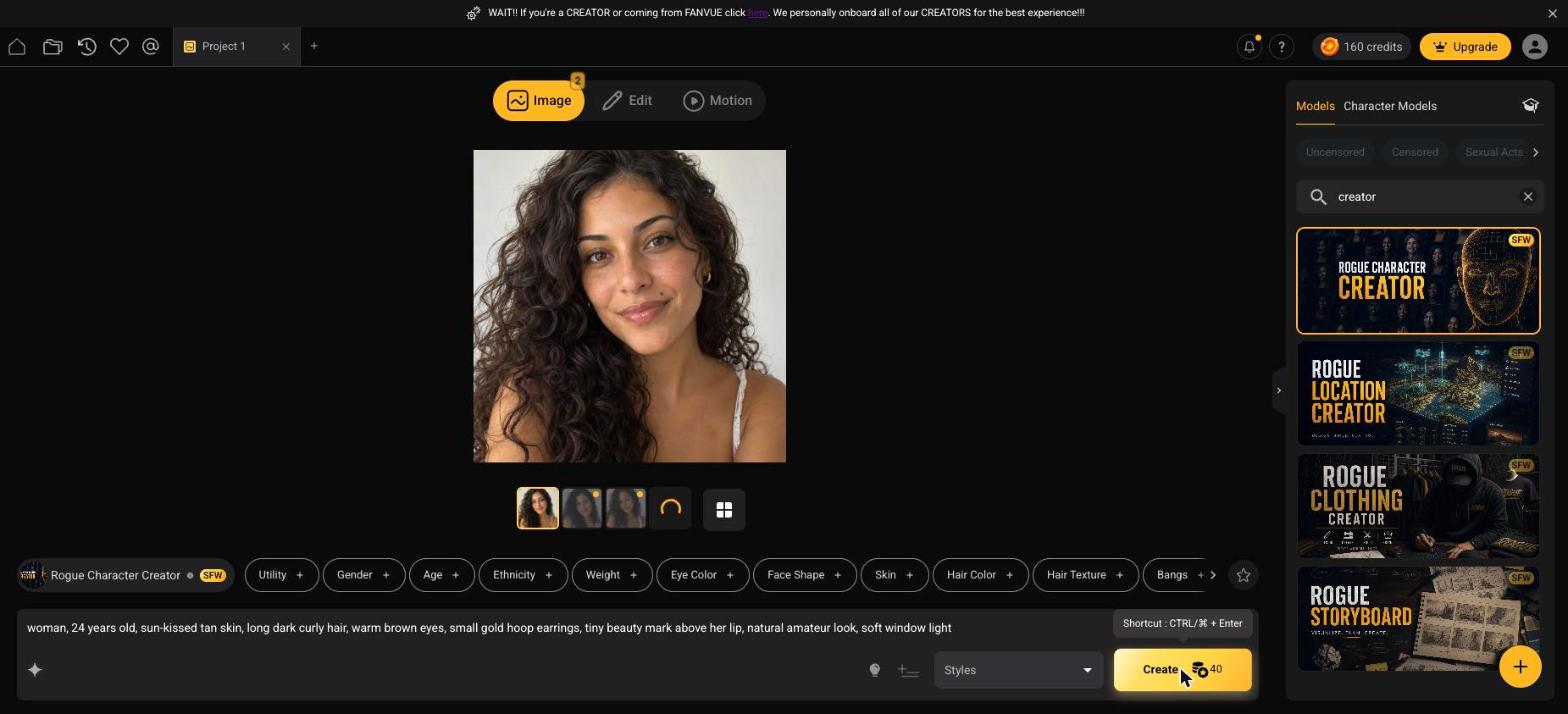
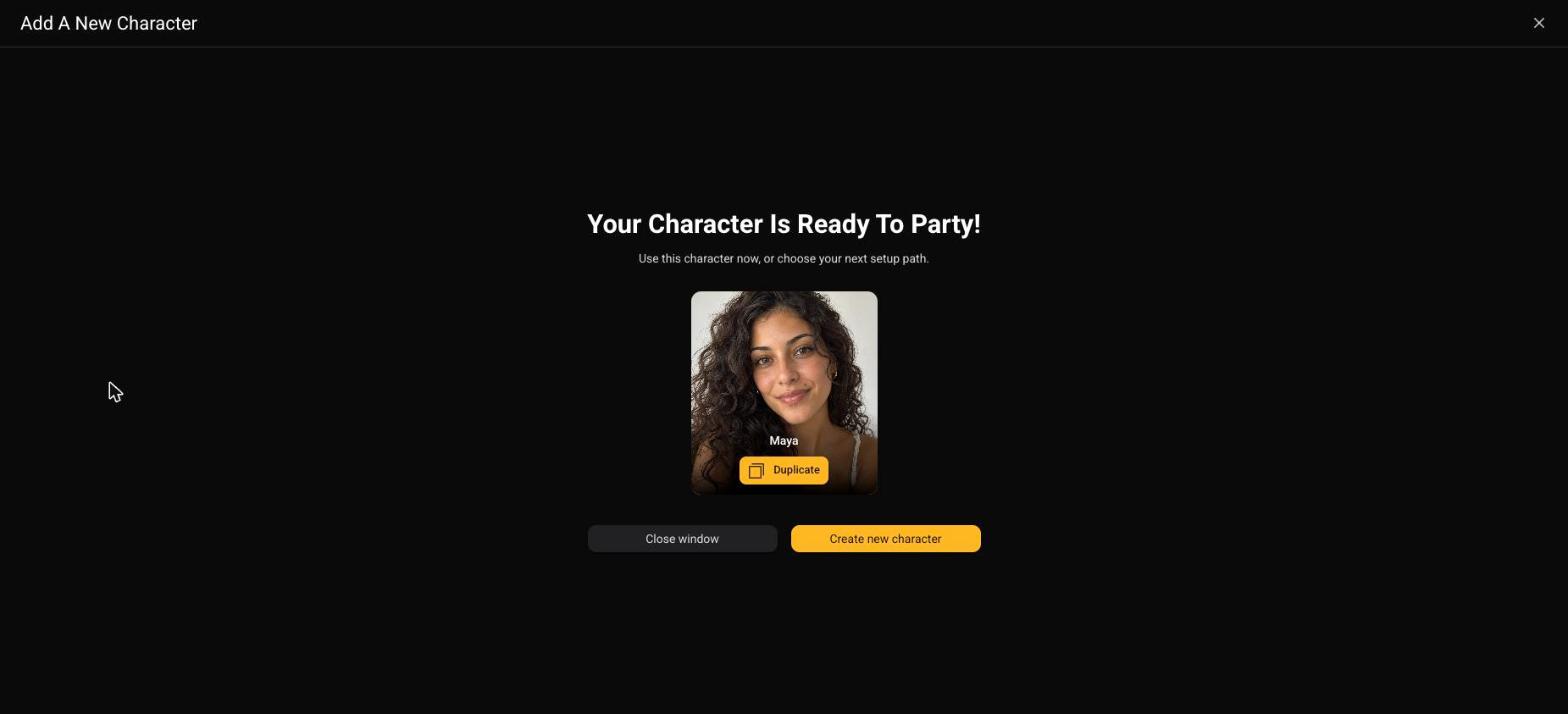
  1. Know Path B for creator #2. When you scale to a second girl (Lesson 7-5 territory), you can also build natively: prompt a face with the Rogue Character Creator model in the Create suite (~40 credits, four options per run), pick one, and build the character from that. We ran it live β€” meet Maya:
Path B: prompt a face, get four candidates. ~40 credits.
Maya β€” built natively in the studio, ten minutes, one prompt.

Path B girls live only in Rogue until you export references back into Bopgpt β€” which is why Path A stays the default for her.

Do it now

~20 minutes. Zero credits on Path A.

You're done when

She appears under My Characters, and selecting her in the Create suite shows her face on the model chip. Same girl as Fanvue, now with a studio pass. You spent nothing.

If you're stuck

Add character won't light up

It's the 250-character description cap β€” trim it to one sentence. That button disables silently; it's the #1 stall in this lesson.

The creator modal won't open

Use the New Character button from the Character Models search area (if the drawer looks crowded, type anything gibberish in the search to surface the empty-state button). The floating + button is flaky on some screens.

My upload got rejected

Face must be clearly visible and the image yours. Re-export a cleaner, front-facing reference from Bopgpt β€” no sunglasses, no extreme angle. And check the description/name for blocked words ("girl", celebrity names).

Should I tweak her face with presets instead of uploading?

No β€” for her, fidelity to the Bopgpt reference is the entire point. Preset-mixing is a Path B tool for future characters.

Do I need the Boy-Toy thing?

Not yet. A boy-toy is a persistent male counterpart you can attach to a character later β€” it unlocks certain explicit scenes in images and video. Phase 6 content decides if her ladder needs one; r-5 shows where it fits.

Next up

She's in the studio and the meter still reads full. Next lesson: her first premium shoot β€” preset pills, the prompt formula the pros use, and four takes of a shot her Fanvue feed could never post.