 AI CREATOR LAB
the official Fanvue AI creator program*
📓 Workbook
AI CREATOR LAB
the official Fanvue AI creator program*
📓 Workbook
Your creator has a face. She'll exist in the studio, identity locked — which means she looks like the same person in every photo you ever make, forever.
Consistency is what makes an AI creator feel real. Fans follow a person — and a person looks the same on Tuesday as she did on Sunday. The studio handles that automatically: you design her once, it locks her identity, and every future photoshoot starts from it. Get this right and you never think about "AI weirdness" again.
Grab your persona sheet from the last lesson. You already made every decision — this is transcription, not design. Takes about 15 minutes including the render.
Open Bopgpt → Models → tap "+ New model."
You'll see two paths: Design from scratch and Upload photos. Pick Design from scratch — it's the clean-rights path and it's faster. (Upload photos is for agencies working with a real, consenting model — that's a Vault lesson, not today.)
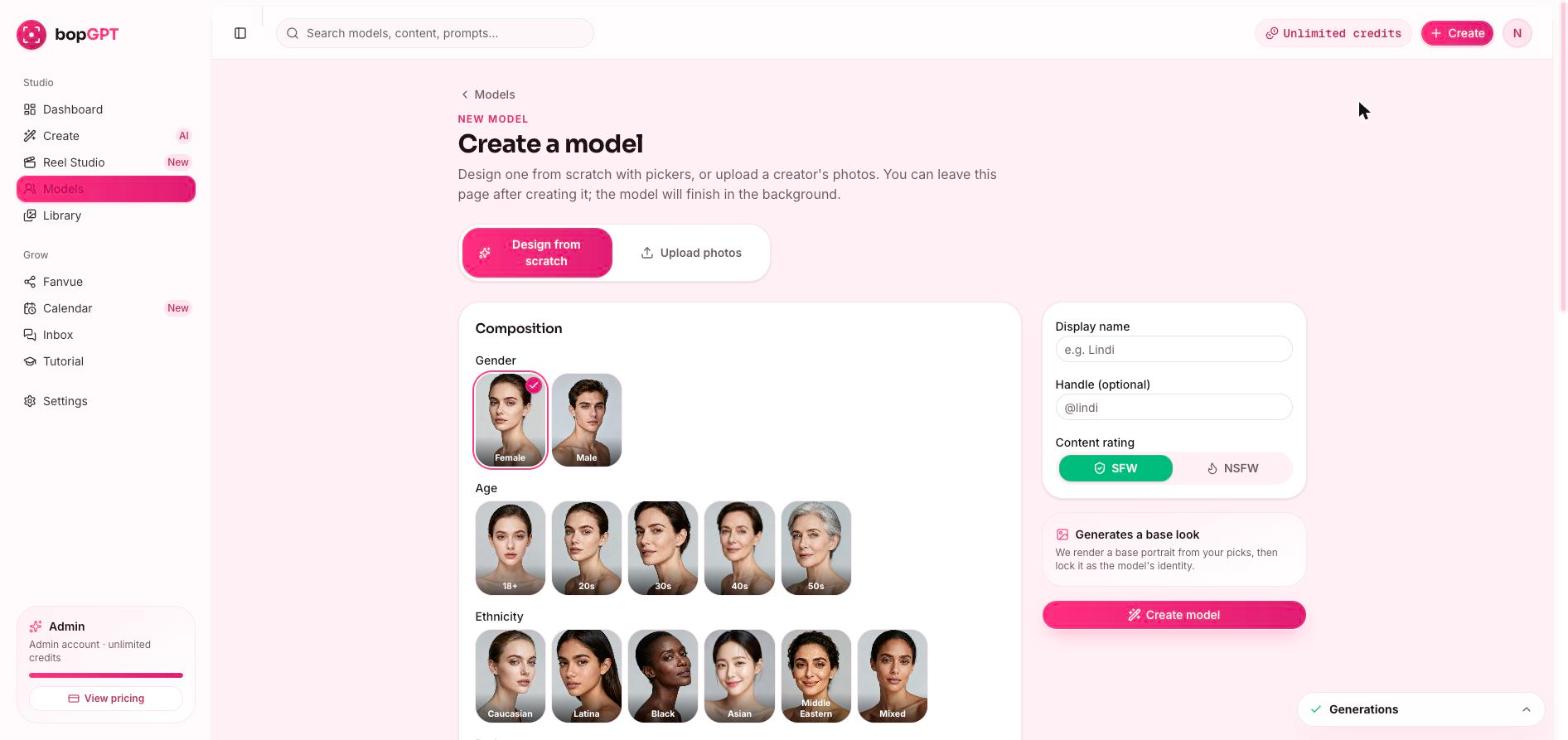
Name her first. In the panel on the right, enter her Display name and Handle — straight off your persona sheet. The name follows the model everywhere, so it goes on before the face.
Build her, card by card. Work top to bottom, picking the card your persona sheet already chose: - Gender, then Age — your sheet says 20s - Ethnicity - Body (Petite / Slim / Athletic / Curvy / Thick) - Chest - Hair color and Hair style - Eyes
don't browse, don't second-guess. The sheet made these calls yesterday when your head was clear. Today you're just clicking them in.
| Your niche | Her Vibe card |
|---|---|
| Girl-next-door | Girl-next-door |
| Fitness & wellness | Natural (with the Athletic body card) |
| Alt & edgy | Alt |
| Glam luxury | Glam |
| Gamer girl | Girl-next-door |
| Outdoorsy country | Natural |
light freckles, thin silver chain necklace
Yours goes in the same way — short, physical, specific.
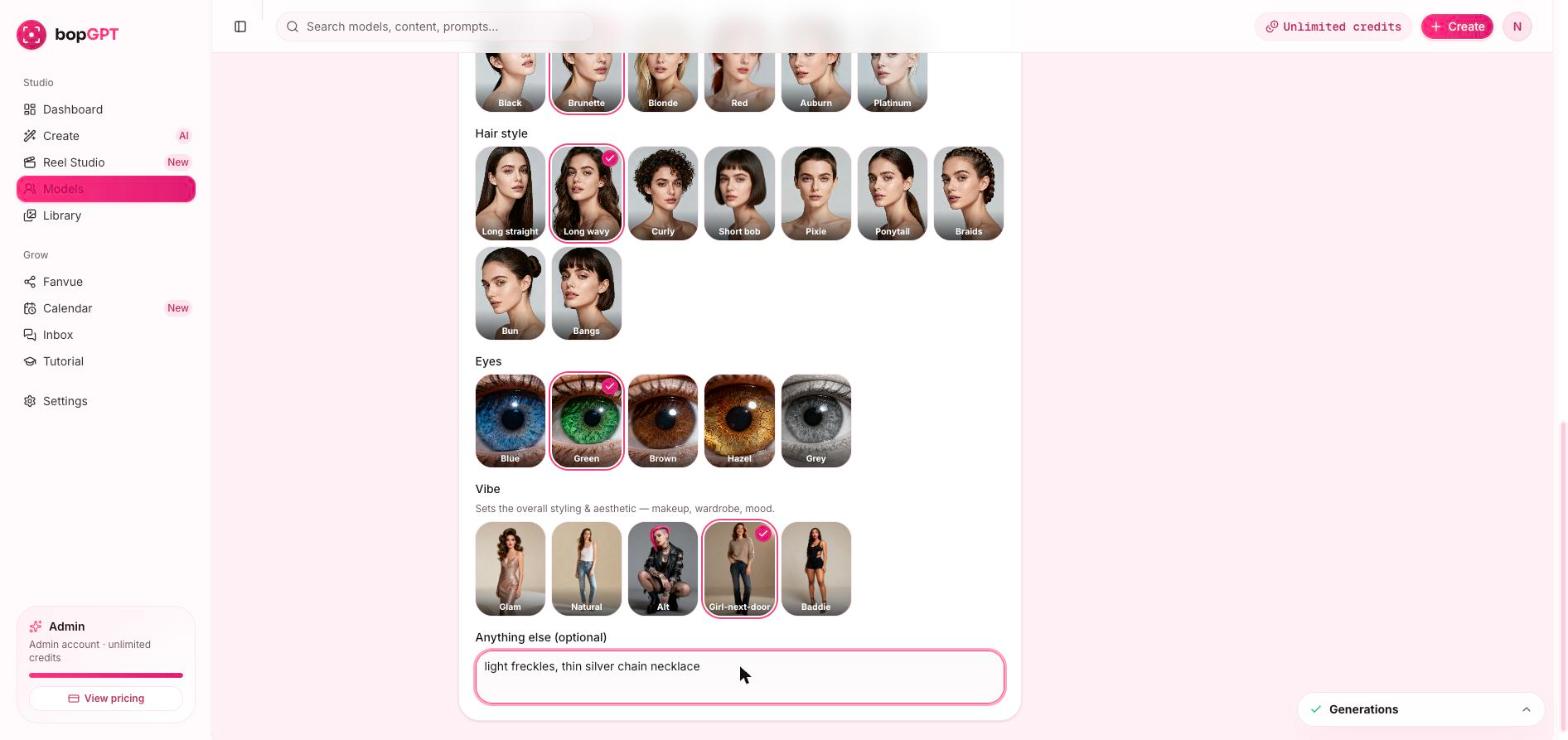
Hit "Create model" — then walk away.
The studio renders a base portrait from your picks and locks it as her identity. It finishes in the background, so leave the page, stretch, get water. Do not fiddle. A few minutes later she'll show as ready on your Models page.
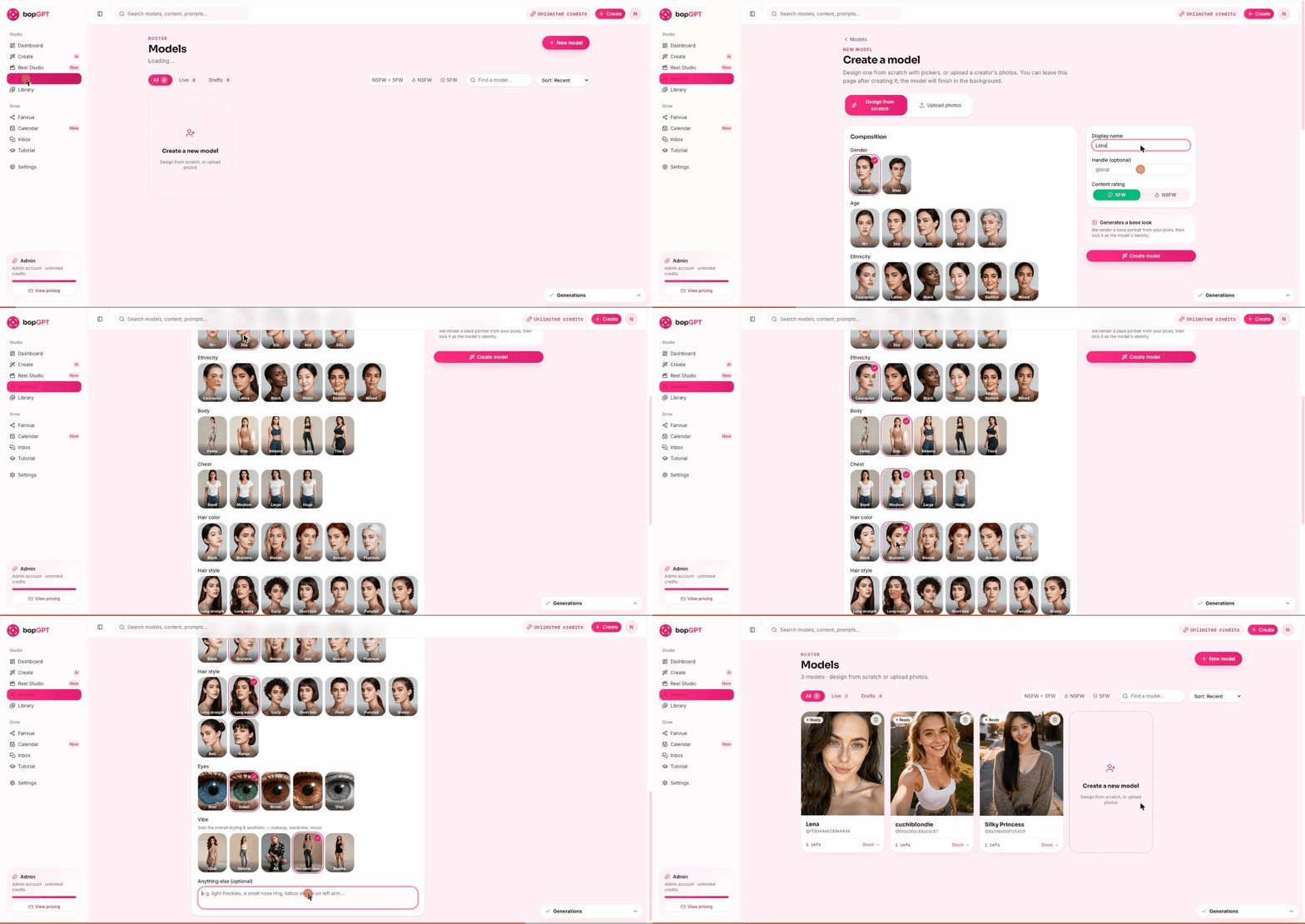
Look at her once. Then accept her. Here's the rule, and it matters: if she matches the sheet and you don't hate her — she's your creator. Move. If one specific card came out genuinely wrong (wrong hair, wrong vibe), fix that one card and create again — once. Then take the better of the two. Perfectionism at this step is procrastination wearing makeup. The students who ship on the first or second render are posting content tomorrow. The ones hunting for "perfect" are still here next week.
Stuck deciding whether to accept her? Paste this and get an outside verdict in ten seconds:
~15 minutes. Persona sheet open, timer on.
Your Models page shows your creator, ready to shoot. That's milestone 3 — her existing is no longer an idea.
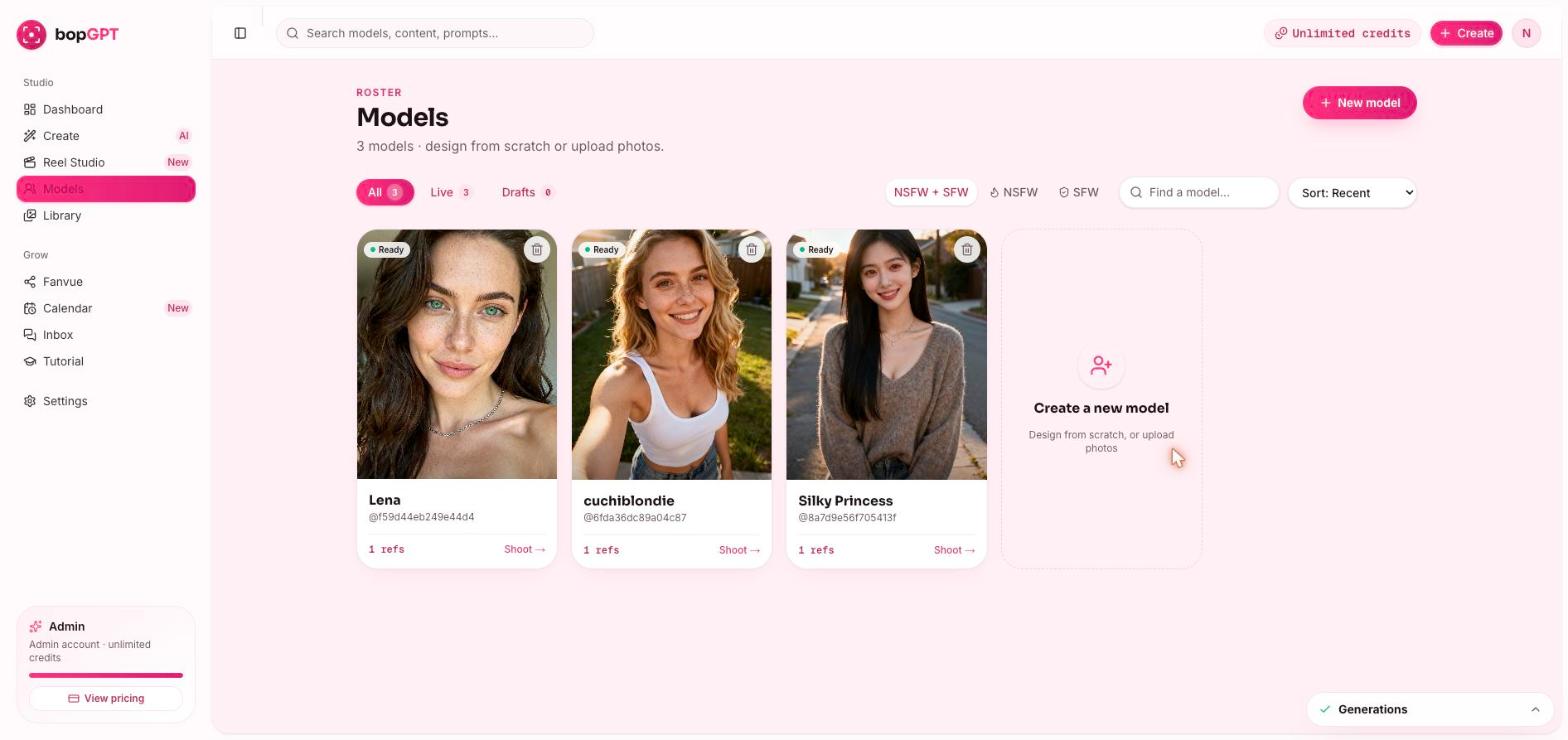
Quick self-check (not a blocker): put her next to your persona sheet. Same person? Good. Mark this lesson complete.
She never will, exactly — you imagined a feeling, and the studio made a person. The real question is: does she match the sheet? If yes, ship her. If a specific card is wrong — hair, vibe — fix that one card and create again, once, then take the better of the two.
It works in the background — give it a few minutes and refresh. Still nothing after 10? Log out and back in. Still stuck? Hit Ask the Lab below or drop it in the community — this one's on us to fix, not you.
Later, yes. Right now, no. One creator to her first dollar — that's the course. Two creators is two half-businesses.
Recreate her. Never publish a look-alike — if she reads as a specific real person to you, she will to the internet too. This is the one place the "once only" rule doesn't apply: redo until she's nobody but herself.
Nice — you've seen the studio work. Do lesson 1-1 anyway (the persona sheet is the business's DNA, and the call version was a demo). Then compare: if the call-built model matches your sheet, keep her and mark this lesson done. If she doesn't — and demo models usually don't, because the sheet didn't exist yet — build her properly now. Ten minutes, and this one's forever.
Only if you want your own face on this business — most students don't. If you do, the Vault has the full Upload Photos lesson (6–10 photo spec, what works, what gets rejected). Finish the course with a designed creator first is our honest advice.
She has a face. Now she needs her stage — next lesson you create her Fanvue account and she officially exists on the platform where she earns. Have your ID ready.